




Creality Falcon A1C Laser — Fully Enclosed Engraving and Cutting Machine with 150 × 150 mm Work Area
BHD 308.50 BHD 392.50-21% OFFVAT included
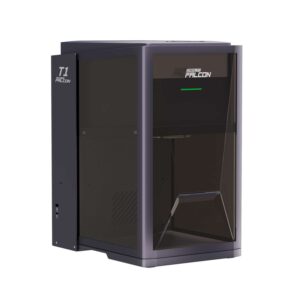
Creality Falcon A1C Laser is a compact, fully enclosed engraving and cutting machine with a Class 1 safety rating, a 150 × 150 mm work area and a motorized lifting platform with autofocus. Choose your version: Without Camera or With AI Camera, each with a 5W or 10W laser module. It runs on Saudi 220V mains directly, and a simple grounded plug adapter is all you need.
- Ongoing Offers
- Secure Shopping
- Genuine Product
- Fast charging
100% Secure Payment

Specifications
Specifications
| Brand | |
|---|---|
| Version | Without Camera, With AI Camera |
| Laser Module | 5W Diode, 10W Diode |
Product Details
Creality Falcon A1C Laser is a compact, fully enclosed laser engraving and cutting machine that fits on a desk at home or in your shop. Its orange lid blocks most of the laser light with a Class 1 safety rating and pauses the job if it's opened, and its motorized platform rises and lowers with autofocus, so you can start engraving wood, leather, acrylic and coated metals in a few simple steps from the free Falcon Design Space software on your computer or phone. Choose the version that suits you: Without Camera in white, or With AI Camera in purple-gray, which positions your design and recognizes the material, each with a 5W or 10W laser module.
Falcon A1C Laser Highlights
- Fully enclosed with a Class 1 safety rating: the lid blocks most of the laser light while it works, and engraving pauses if the lid is opened, so it suits homes, offices and hobby spaces.
- A motorized work platform that rises and lowers up to a height of 148 mm and carries up to 3 kg, so you can engrave thick pieces such as tins and small boxes, with probe-based autofocus at the press of the knob or from the software.
- A 150 × 150 mm work area for personalized gifts, crafts, home décor and small-business products, at speeds up to 15,000 mm/min.
- The 10W version engraves and cuts, slicing basswood up to 5 mm in a single pass according to Creality, and comes with a cutting board in the box; the 5W version engraves wood, leather, acrylic and coated metals.
- The AI Camera version has a built-in camera that positions your design on the material automatically and recognizes the material, plus smart fill tools, so it cuts setup time and places the engraving right where it belongs the first time.
- Free Falcon Design Space software for Windows and macOS, plus a mobile app for iOS and Android; the machine connects to your phone or computer over Wi‑Fi, to your computer by USB-C cable as well, and runs without a computer from a USB flash drive.
- Tool-free laser module swaps: 5W or 10W, plus a 1.2W infrared module for engraving metals such as gold, silver and stainless steel (additional modules sold separately).
- Layered protection: flame detection, laser shutoff if the machine tilts, a USB safety key lock, an emergency stop button and overheat protection.
- An exhaust hose in the box carries smoke out through a window, or add Creality's AP1 mini air purifier (sold separately) for cleaner work inside the room.
What's in the Box
- Falcon A1C machine × 1 with laser module (5W or 10W, matching the version you choose)
- Power adapter × 1 (24V 3A for the 5W version, 24V 5A for the 10W version) with power cord (US plug)
- Exhaust hose × 1 and hose clamp × 1
- USB-A to USB-C cable × 1 and USB-A to USB-C adapter × 1
- Safety key × 2
- Cutting board × 1 (10W version only)
- Basswood test boards × 3
- Laser photo engraving paper × 3 in the white version, × 7 in the camera version
- Camera calibration card × 1 (camera version only)
- Material fixing screw × 2
- Lint-free brush × 1 and dust-free cloth × 1
- Allen key M2/M2.5 × 1
- Quick start guide and safety instructions
Technical Specifications
| Device Type | Fully enclosed desktop diode laser for engraving and cutting |
| Versions on This Page | Without Camera (white) · With AI Camera (purple-gray) — each with a 5W or 10W diode module |
| Laser Optical Power | 5W · 10W |
| Laser Source | Blue diode (semiconductor) laser with a spot of about 0.08 × 0.20 mm |
| Compatible Modules | 5W diode · 10W diode · 1.2W infrared for engraving metals — tool-free swaps, with additional modules sold separately |
| Work Area | 150 × 150 mm |
| Maximum Workpiece Height | 148 mm with a motorized platform that rises and lowers and carries up to 3 kg |
| Maximum Working Speed | 15,000 mm/min |
| Focus | Automatic with a probe, at the press of the knob or from the software |
| Cutting Capability | 10W version: basswood up to 5 mm in a single pass — Creality's figure, with results varying by material and settings · 5W version for engraving |
| Engraving Materials | Cardboard, wood and bamboo, rubber, leather and fabrics, opaque acrylic, coated metals and plastics. Shiny or transparent materials such as mirror-finish steel, glass and clear acrylic just need an anti-reflective coating on the surface before engraving |
| Cutting Materials | With the 10W version: cardboard, wood and bamboo, fabric and leather, dark acrylic and plastics (clear acrylic doesn't cut with this laser, so choose dark acrylic for cut pieces) |
| Camera | AI Camera version: built-in camera for automatic positioning, material recognition and smart fill · The white version has no camera, and you set the position from the software; a camera can't be added to it later, so choose the AI Camera version if you want one |
| Connectivity and Computer-Free Operation | 2.4 GHz Wi‑Fi and Bluetooth · USB-C to computer · runs files from a USB flash drive without a computer |
| Software | Falcon Design Space, free for Windows 10 or later and macOS 11 or later, plus the mobile app for iOS and Android · compatible with LightBurn with a separate license |
| Protection Systems | Closed lid that pauses the job when opened · flame detection · laser shutoff when the machine tilts · USB safety key lock · emergency stop button · overheat protection |
| Safety Rating | Class 1 laser product per IEC 60825-1:2014 with the lid closed |
| Operating Temperature | 5–35°C away from humidity, so an air-conditioned room suits it best in summer |
| Dimensions | 336 × 377 × 341 mm |
| Weight | 9.7 kg for the white version · 9.8 kg for the camera version |
| Power | 72W for the 5W version · 120W for the 10W version |
| Power | 100–240V, 50/60 Hz via an external power adapter (24V 3A for the 5W version, 24V 5A for the 10W version) — runs on Saudi 220V mains directly, and a simple grounded plug adapter is all you need |
| Warranty | Up to 12 months from the manufacturer, Creality, on the machine, excluding consumables |
FAQs
Does the machine run on Saudi mains power?
Yes. The included external power adapter accepts 100–240V at 50/60 Hz, so the machine runs on Saudi 220V mains directly with no voltage converter. The included cord has a US plug, and a simple grounded plug adapter is all you need with it.
What's the difference between the white version and the AI Camera version?
It's the same machine with the same work area, speed and modules; the difference is the camera: the AI Camera version (purple-gray) positions your design on the material automatically, recognizes the material and gives you smart fill tools, saving you time if you engrave many pieces or want your design placed precisely the first time. The white version has no camera, and you set the position from the software; a camera can't be added to it later, so if you want one, choose the AI Camera version from the start.
Which should I choose: 5W or 10W?
5W engraves wood, leather, acrylic, coated metals and cardboard. 10W engraves and also cuts, slicing basswood up to 5 mm in a single pass according to Creality, and comes with a cutting board in the box. So if cutting is part of your work, choose 10W. You can also upgrade the 5W version later with a 10W module and a 24V 5A adapter.
Do I need safety glasses?
Yes, and running it safely takes a few simple steps: the machine is enclosed with a Class 1 rating, and its lid blocks most of the laser light while it works and pauses engraving if opened. Even so, Creality asks you to wear laser safety glasses rated for the wavelength of the module in use throughout operation, especially when using the rotary for cylindrical surfaces, since the laser is exposed then, and never to look directly into the laser beam. The safety glasses and the rotary are accessories sold separately.
Do I need a computer to run it?
No. You design and run jobs from the Falcon Design Space app on your phone over Wi‑Fi, from the same software on your Windows or macOS computer over Wi‑Fi or a USB-C cable, or run the file from a USB flash drive without a computer. The software is free, and the machine also works with LightBurn if you prefer it.
What about smoke and odor?
Laser engraving produces smoke and odor in amounts that vary by material, and the solution is in the box: an exhaust hose that you attach to the machine's outlet and direct out a window. If you'd like to work in a closed room, add Creality's AP1 mini air purifier (sold separately), and keep the machine in a well-ventilated spot away from flammable materials.
Why choose the Falcon A1C from Avloon?
Because the Creality Falcon A1C combines a compact, fully enclosed body made for the home with a motorized lifting platform, autofocus and phone control through free software, plus the option of an AI camera that positions your design for you. It's an easy start in laser engraving for hobbyists and small businesses. If you have a question before ordering, message us and we'll be happy to help. Order the Creality Falcon A1C Laser from Avloon now and choose the version that suits your work.
Related products


Bambu Lab H2C Laser Full Combo 3D Printer – 40W Laser
Original price was: .د.ب 2,598.90.BHD 2,214.90Current price is: .د.ب 2,214.90.Bambu Lab H2C Laser Full Combo 3D Printer – 10W Laser
Original price was: .د.ب 1,989.90.BHD 1,854.90Current price is: .د.ب 1,854.90.
 New
Creality Falcon2 Pro 60W Laser — Enclosed Engraving and Cutting Machine for Wood and Acrylic
Original price was: .د.ب 1,799.90.BHD 1,439.50Current price is: .د.ب 1,439.50.
 New
Creality Falcon2 22W / 40W Laser — Engraving and Cutting Machine with 400 × 415 mm Work Area
BHD 533.00 BHD 626.00Select options This product has multiple variants. The options may be chosen on the product page
 New
Creality Falcon T1 Laser — Engraving and Cutting Machine with Interchangeable Laser Modules
BHD 1,861.50 BHD 3,029.00Select options This product has multiple variants. The options may be chosen on the product page

xTool M2 Color Craft — Laser Cutting and Engraving Machine with Color Printing
BHD 397.50 BHD 880.50Select options This product has multiple variants. The options may be chosen on the product page

xTool F2 Ultra UV — 5W UV Laser for Engraving Inside Glass
BHD 2,419.90 BHD 3,229.90Select options This product has multiple variants. The options may be chosen on the product page

xTool F2 Ultra — 60W MOPA Laser for Color Engraving on Metal
BHD 2,489.90 BHD 3,809.90Select options This product has multiple variants. The options may be chosen on the product page

xTool F1 Ultra — 20W Fiber and Diode Laser for Metal and Wood
BHD 1,679.90 BHD 2,299.90Select options This product has multiple variants. The options may be chosen on the product page